
Getting started
Getting Started
What the app does, how to find your way around it, and the first few things to do whether you run the league, score at the board, or just want the standings.
What it does#
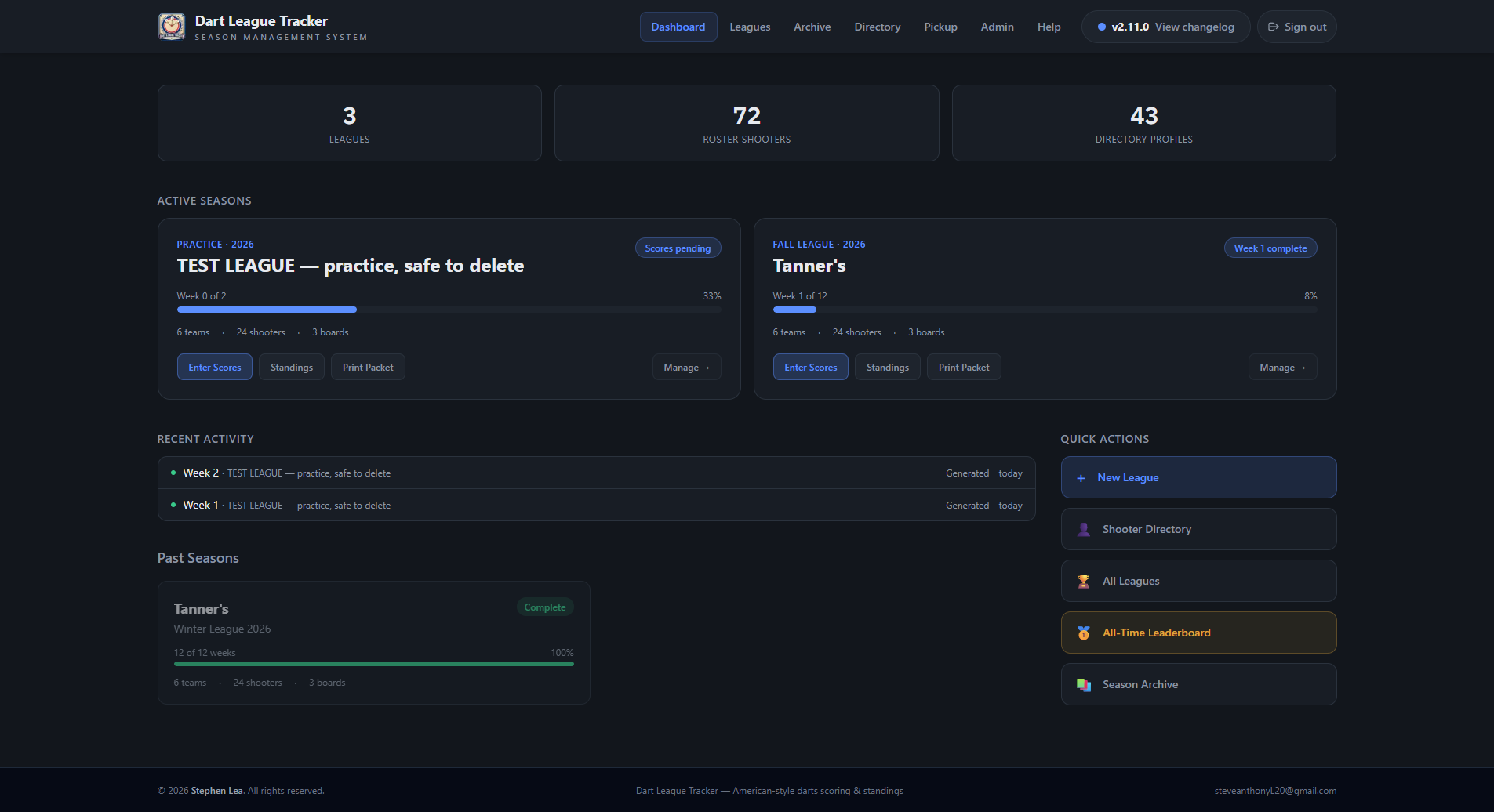 Open full size ↗
Dart League Tracker runs a bar's dart league from sign-ups to the payout: rosters, the schedule, scoring at the boards on a tablet, standings and stats, the weekly print packet, dues and the cup.
| Who | What they do here |
|---|---|
| Admins | Build the season, manage rosters and money, print the packets, and decide who else can sign in. |
| Scorekeepers | Score matches on the tablets at the boards. Usually the bar's tablet logins. |
| Viewers | Look at standings, stats and profiles. A public league needs no login at all. |
Finding your way around#
On a laptop the top bar runs Dashboard, Leagues, Archive, Directory, All-Time, Pickup and Help. The round button at the right end, with your initial on it, opens Settings, Admin (admins only), Change password and Sign out.
On a tablet or a phone there is not room for all that, so the same places sit behind Menu, grouped: The season (Leagues, Archive), Players (Directory, All-Time), Just for fun (Pickup Game), and Settings & help (Settings, Admin, Help).
Settings holds your login, this device's layout and, for a venue's admins, the venue itself. Admin — who can sign in and what they can do — is also reached from Settings → Administration.
Tip
The Leagues page lists the leagues being played first and finished seasons underneath.
Inside a league#
 Open full size ↗
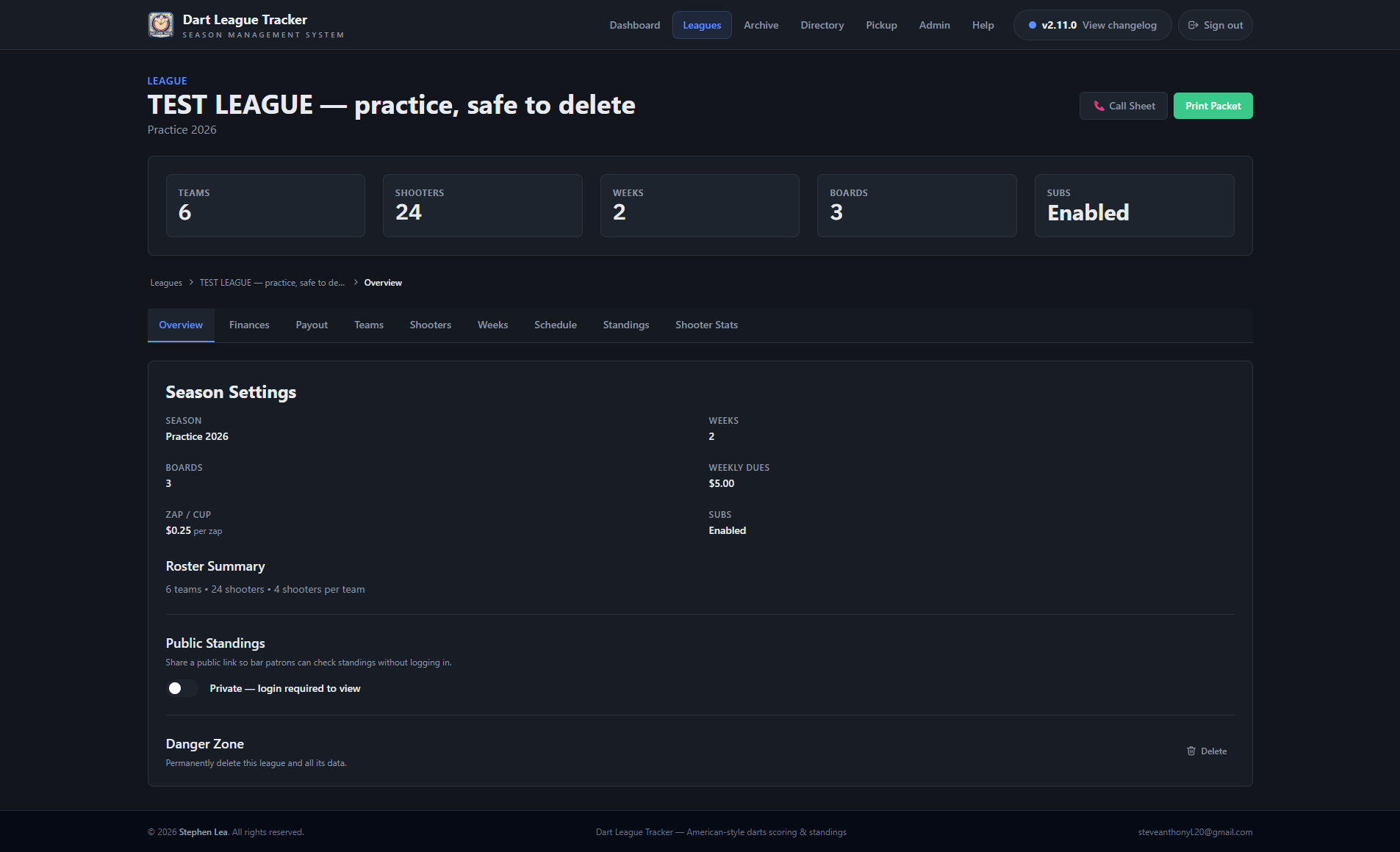
Across the top of every league are two buttons: 🎯 Live Scoring, straight to tonight's boards, and 🖨 Print, for the weekly packet and the other sheets. Under them are the tabs.
 Open full size ↗
| Tab | What it is for | Who sees it |
|---|---|---|
| Overview | The season's settings, public standings on or off, and deleting the league | Everyone |
| Finances | Dues, zap money and your own third column, week by week | Admins |
| Payout | Splitting the pot between the top four at the end | Admins |
| Teams | Team names, captains, and ⚡ Quick Setup for rosters | Admins |
| Shooters | The roster, starting averages, subs, replacements | Everyone (admins can edit) |
| Weeks | Each week's boards, entering scores by hand, locking | Admins and scorekeepers |
| Schedule | The whole season on one screen, read-only | Everyone |
| Standings | The table | Everyone |
| Shooter Stats | Every shooter's numbers, week by week | Everyone |
Good to know
On a phone the tabs move to a bar along the bottom of the screen, with the less-used ones under More.
First night with a tablet#
- 1Sign the tablet in with its scorekeeper login.
- 2Open the league and tap 🎯 Live Scoring — or just type the app's address followed by /score, which goes to whichever league is being played.
- 3Tap Start → on your board, set the lineup, and score each inning as it is thrown.
Tip
The Live Scoring article has the whole night, start to finish.
First season as an admin#
- 1Optional, but it is where the season really starts: 📋 Sign-ups on the Leagues page, to keep track of who is in.
- 2Go to Leagues → + New League. The League Builder walks you through the season's settings, the teams and rosters, the subs, and the schedule.
- 3Give the bar's tablets a scorekeeper login from Admin → People, set to every league, so they keep working next season too.
- 4Turn on public standings from the league's Overview tab if the players should be able to look without logging in.
Just checking the standings#
If the league is public, the admin can give you a link that shows the standings and every shooter's stats with no login. Tap a shooter's name for their career profile.